
No Asteroids System Requirements
Verified minimum and recommended PC (Windows) and Apple Silicon Mac system requirements for No Asteroids—covering GPU, RAM, 1 GB storage, controller support, and Steam Deck status.
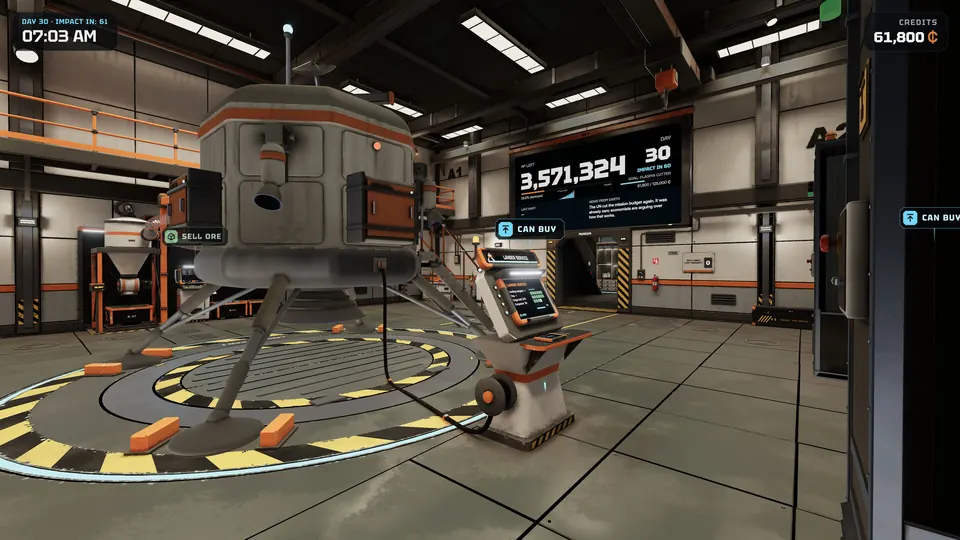
No Asteroids is lightweight to install (1 GB storage) and runs on 64-bit Windows 10/11 and Apple Silicon macOS (M1 or newer) with at least 8 GB RAM. Intel Macs and native Linux builds are not listed as supported on Steam, and official Steam Deck compatibility has not yet been verified on the store page.
Every specification below is verified directly from Unruled Games' official Steam listing for App ID 5527800 as of November 25, 2026.
Windows PC System Requirements
Both minimum and recommended Windows configurations require a 64-bit operating system and DirectX 11 support.
| Component | Minimum (Windows) | Recommended (Windows) |
|---|---|---|
| OS | Windows 10 (64-bit) | Windows 10 / 11 (64-bit) |
| Processor (CPU) | 4 cores — Intel Core i5-7400 or AMD Ryzen 3 1200 | Intel Core i5-10400 or AMD Ryzen 5 3600 |
| Memory (RAM) | 8 GB RAM | 16 GB RAM |
| Graphics (GPU) | DirectX 11 GPU with 2 GB VRAM (GeForce GTX 1050 / Radeon RX 560 / Intel Iris Xe) | GeForce GTX 1660 or Radeon RX 5600 XT (4 GB VRAM) |
| DirectX | Version 11 | Version 11 |
| Storage | 1 GB available space | 1 GB available space |
| Input & Network | Mouse and keyboard or controller; internet required for online co-op | Mouse and keyboard or controller; internet required for online co-op |
macOS System Requirements (Apple Silicon Only)
Unruled Games ships a native macOS version, but it strictly requires an Apple Silicon processor (M1 or newer). Intel-based Macs are not supported.
| Component | Minimum (macOS) | Recommended (macOS) |
|---|---|---|
| OS | macOS 12 Monterey | macOS 14 Sonoma or newer |
| Processor (CPU) | Apple M1 | Apple M1 Pro / M2 or newer |
| Memory (RAM) | 8 GB RAM | 16 GB RAM |
| Graphics (GPU) | Apple M1 integrated GPU | Apple M1 Pro / M2 GPU or newer |
| Storage | 1 GB available space | 1 GB available space |
| Architecture Note | Apple Silicon only (no Intel Mac support) | Apple Silicon only (no Intel Mac support) |
Steam Deck & Linux Compatibility Status
- Native Linux: Steam currently lists Windows and macOS platforms only (
linux: false). There is no official native Linux build listed. - Steam Deck: Official Valve Steam Deck Verified / Playable status has not yet been published on the store page as of November 25, 2026. Because the game requires only 1 GB storage, DirectX 11, and has full controller support, you can test performance on your own hardware risk-free using the free Steam demo before buying.
Controller Support, Cloud Saves & Languages
- Controllers & Rebinding: Full Controller Support is built in, including official DualShock and DualSense controller support, plus full keyboard and mouse rebinding (including right, middle, and side mouse buttons, numpad, and fine mouse sensitivity down to
0.05). - Accessibility & Comfort: Steam lists Camera Comfort, Custom Volume Controls, and Playable without Timed Input features. Update 1.0.2 also added an option to skip flight cutscenes, while the launch hotfix added explicit resolution selection and a toggle to hide the ore health bar.
- Steam Features: Supports Steam Cloud, Steam Family Sharing, Cross-Platform Multiplayer (Windows + Apple Silicon Mac), 5 campaign save slots, and 67 Steam Achievements (v1.0.2).
- Supported Languages (28): English, Simplified Chinese, Japanese, Korean, German, French, Spanish (Spain & Latin America), Portuguese (Brazil & Portugal), Russian, Polish, Italian, Turkish, Ukrainian, Arabic, Czech, Dutch, Hungarian, Indonesian, Bulgarian, Danish, Finnish, Greek, Norwegian, Romanian, Swedish, and Vietnamese.
Want to test how your PC or Mac handles voxel excavation before paying? Check the No Asteroids Demo Guide or view the latest No Asteroids Patch Notes.
System Requirements FAQ
How much storage space does No Asteroids take?
No Asteroids requires only 1 GB of available storage space on both Windows and macOS.
Can No Asteroids run on a Mac?
Yes, No Asteroids supports macOS 12 Monterey or newer, but strictly on Apple Silicon Macs (M1 or newer). Intel Macs are not supported.
Is No Asteroids Steam Deck Verified?
Official Steam Deck Verified or Playable status has not yet been published on Steam, and there is no native Linux build listed. You can test the free 15-day Steam demo first to check how it performs on your device.
Does No Asteroids support controllers?
Yes. No Asteroids lists Full Controller Support on Steam, including DualShock and DualSense controllers, alongside full keyboard and mouse rebinding.